Stereochem
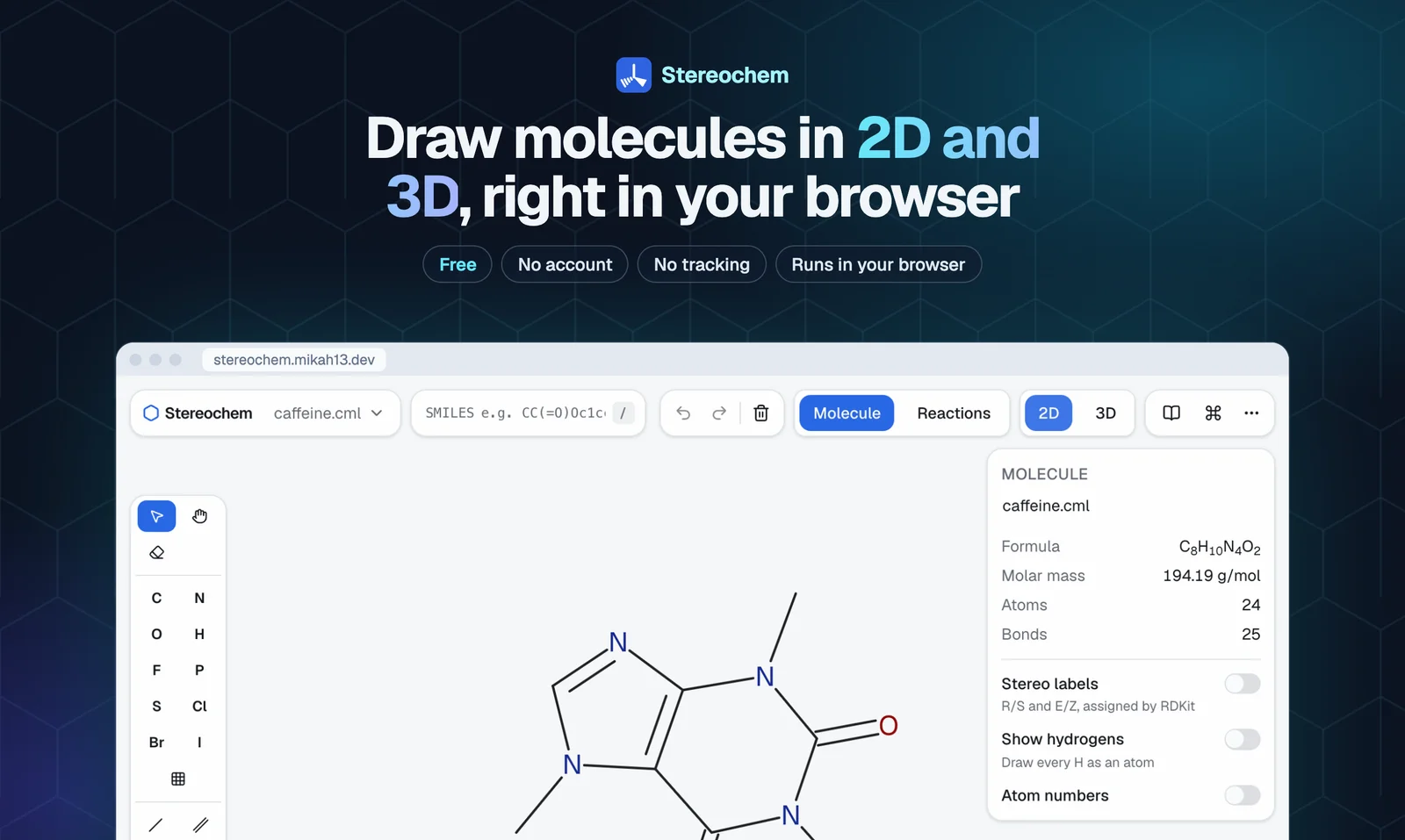
Stereochem is a browser-based molecular editor built by Mike Hoang for drawing structures in 2D and exploring them in 3D. Students, teachers, and other users can work with molecules without installing a desktop application. It combines a React and TypeScript interface with a C++ chemistry core compiled to WebAssembly.
By Mike Hoang · Last updated: 2026-10-06
- Year: 2026
- Stack: React, TypeScript, C++, WebAssembly, WebGL2, RDKit
- Live: Open Stereochem
- Guides: Learn the editor
Why I built it
My girlfriend was using a desktop molecular editor that wasn't very user-friendly. Sharing her work and taking screenshots were harder than they needed to be, so I built a browser-based version on top of its core engine to make those everyday tasks easier.
I keep adding features whenever she thinks of something that would be useful to her. Her ideas and the way she uses the app guide what I build next.
How I built it
I compiled Avogadro's C++ chemistry libraries to WebAssembly using Emscripten, then built a React and TypeScript interface around them. WebGL2 renders the 3D molecules, while RDKit handles SMILES parsing and stereochemistry labels.
The app is built with Vite. Cloudflare Workers and Durable Objects support live sharing rooms, with Yjs managing shared state.
Stereochem project facts
| Detail | Value |
|---|---|
| Project year | 2026 |
| Editing views | 2D sketching and 3D inspection |
| Import formats | 7: SMILES, MOL, SDF, XYZ, PDB, CML, CJSON |
| Interface and rendering | React, TypeScript, WebGL2 |
| Chemistry | Avogadro C++ libraries compiled to WebAssembly; RDKit |
| Collaboration | Cloudflare Workers, Durable Objects, Yjs |
The format count comes from the import list below.
Can I use Stereochem without installing software?
Yes. Open Stereochem in a browser to draw and explore molecular structures. The C++ chemistry core runs through WebAssembly, and WebGL2 renders the 3D view. The editor guides explain how to use it.
Challenges
- Moving desktop chemistry into the browser: I separated the portable chemistry core from the desktop UI and exposed it through WebAssembly bindings.
- Checking numerical behavior: I compared native and WASM results on the same molecular files to catch differences introduced by the port. Matching outputs also needed documented tolerances for floating-point calculations.
- Keeping editing responsive: Geometry optimization runs in a Web Worker with its own copy of the chemistry core, so calculations don't block the interface. Results from an outdated molecule are discarded when the user makes another edit.
Features
- 2D sketching: Draw atoms and bonds, use wedges and hashes, and insert rings or saved fragments.
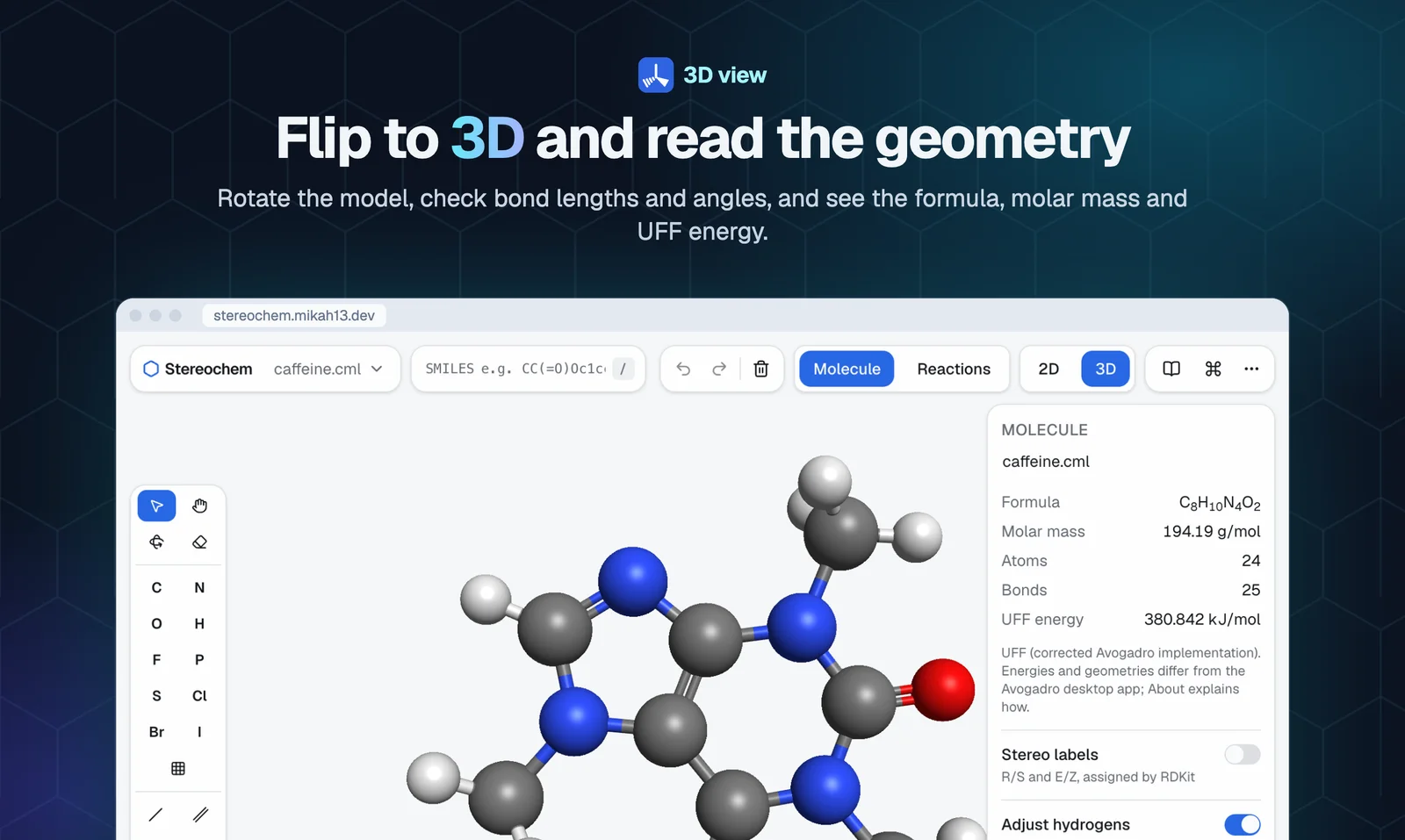
- 3D inspection: Rotate molecules and inspect bond lengths, angles, formula, molar mass, and UFF energy.
- Stereochemistry: Display R/S and E/Z labels assigned by RDKit.
- Compound lookup: Start from a SMILES string or find a compound by name through PubChem.
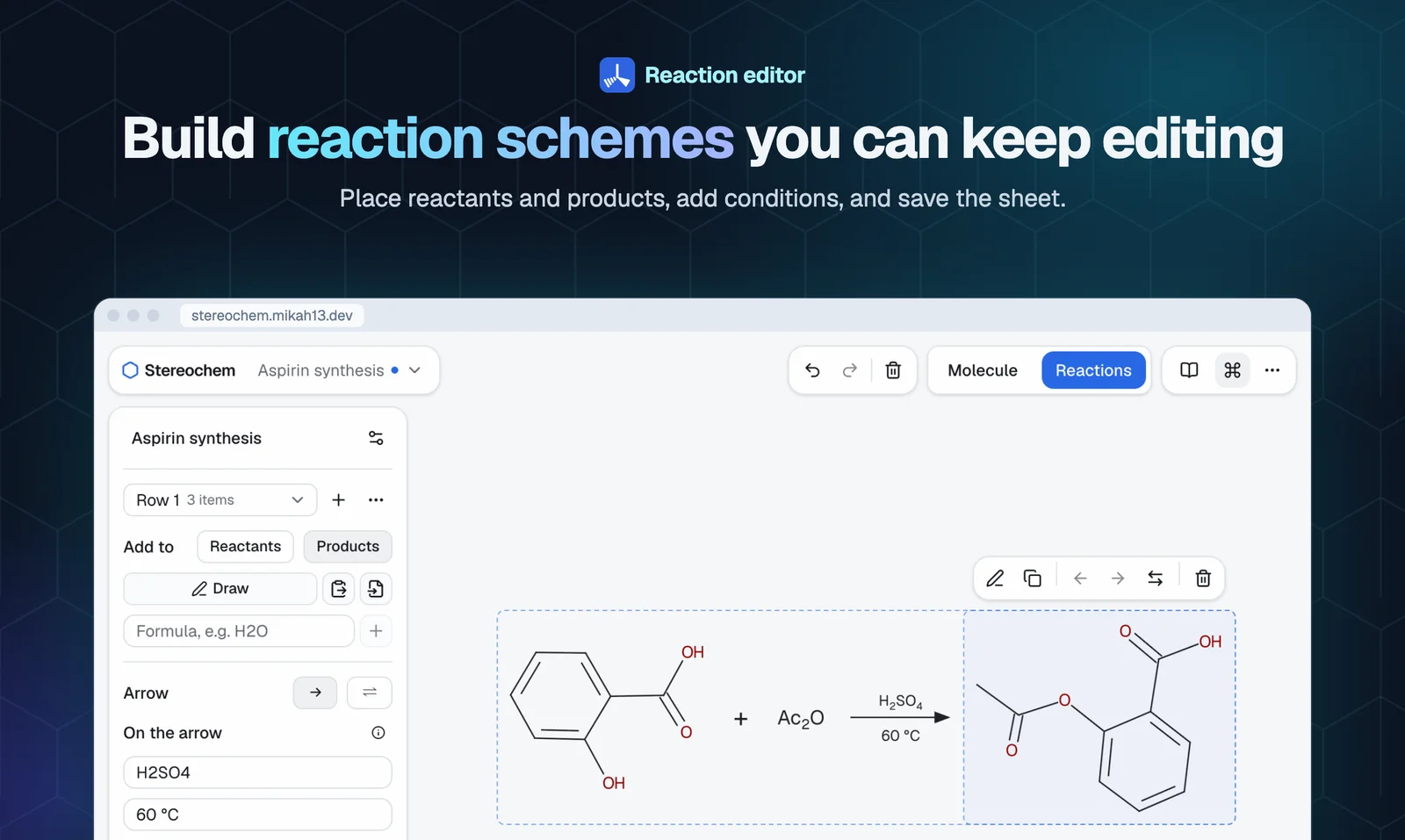
- Reaction schemes: Arrange structures and arrows on an editable reaction sheet.
- Import and export: Import SMILES, MOL, SDF, XYZ, PDB, CML, and CJSON; export molecular files or images.
- Live sharing: Work together in a shared editing room.
About the developer
Mike Hoang is a full-stack developer in Vancouver. Read about his BetweenUs Flutter app or contact Mike.